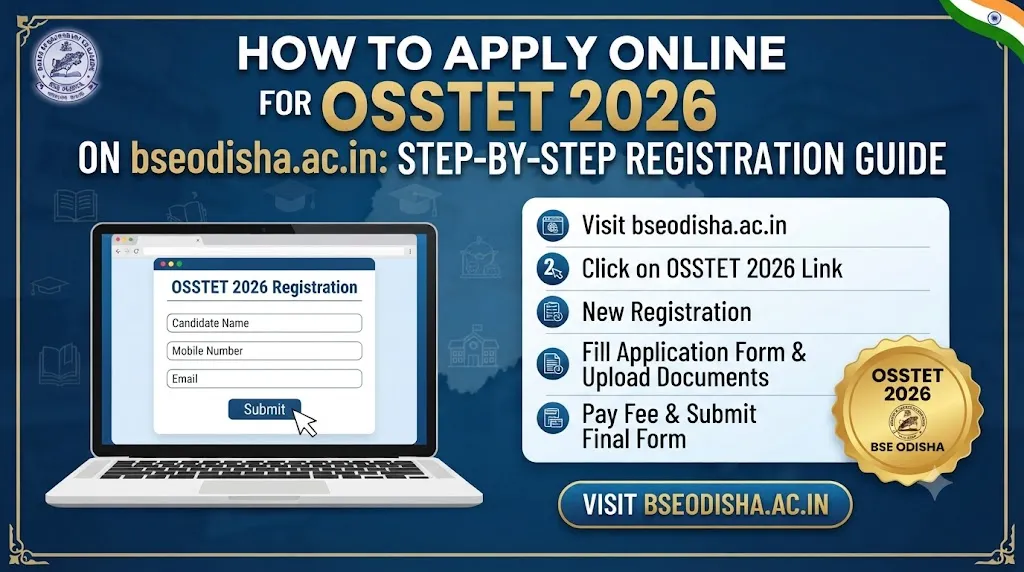
The Board of Secondary Education (BSE), Odisha has officially opened the online portal for the Odisha Secondary School Teacher Eligibility Test (OSSTET) 2026. Aspiring secondary school teachers across Odisha can submit their applications online starting from 3rd August 2026 until 17th August 2026 (midnight).
Because BSE Odisha strictly enforces a “No Edit After Final Submit” policy and fees are strictly non-refundable, even a minor mistake during registration can lead to the rejection of your application.
(Before starting your application, make sure you meet the basic qualifications by reading our OSSTET 2026 Official Notification & Master Overview Guide)
In this step-by-step tutorial, we will walk you through the entire online application process—from creating your profile and paying the application fee to editing mistakes and downloading your mandatory Acknowledgement Receipt.
📋 Pre-Requisites: Documents & Details Keep Ready
Before clicking on the registration link on bseodisha.ac.in, keep the following items ready to ensure a smooth, error-free application process:
- Valid Mobile Number & Email ID: Must be active throughout the recruitment process for receiving OTPs and verification codes.
- Scanned Passport Photo & Signature: In JPG/JPEG/PNG format within the prescribed file size limits.
- Academic Documents: HSC (10th) mark sheet/certificate, +2 certificate, +3 degree mark sheets, and B.Ed/Training certificates or continuing student proofs
- Caste Certificate: If claiming reservation under SC/ST/SEBC categories
- Online Payment Instrument: Debit Card, Credit Card, UPI, or Net Banking for fee payment.
Step-by-Step OSSTET 2026 Application Workflow
The online registration portal is available 24×7 during the application window. Follow these 6 steps carefully:
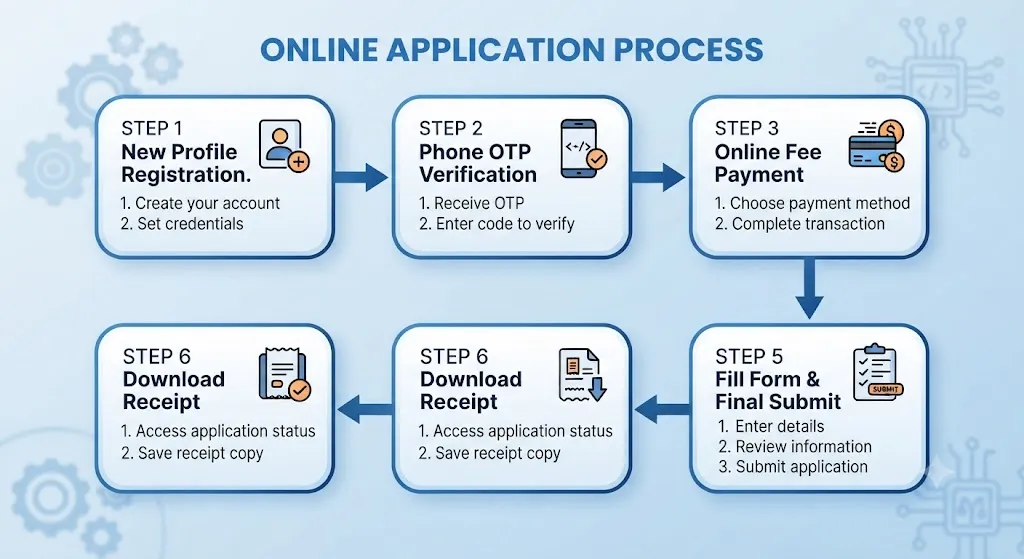
Step 1: New Candidate Registration
- Visit the official website of BSE Odisha: www.bseodisha.ac.in.
- On the homepage, locate and click on the link for “Log in to your account” under OSSTET 2026.
- Click on the button marked “Click Here for New Registration”.
- Enter the required basic details:
- Candidate Name (strictly as spelled in your HSC/10th certificate).
- Create a Password & re-type to confirm.
- Valid Mobile Number & Email ID.
- Caste Category: Select your correct caste carefully (SC / ST / SEBC / General).
⚠️ CRITICAL WARNING ON CASTE SELECTION: The caste category entered at this stage cannot be changed later under any circumstances. Your applicable fee amount in the payment gateway will be auto-generated based on the caste you select here.
- Click on the “Submit” button.
Step 2: Mobile Number OTP Verification
- After clicking Submit, you will be redirected back to the “Login to your Account” screen.
- Enter your registered Mobile Number and the Password you just created, then click Login.
- A Verification Code (OTP) will be sent to your registered mobile number.
- Enter the verification code in the box and click “Verify”.
- Upon successful verification, login once more with your credentials to proceed to payment.
Step 3: Application Fee Payment
Before proceeding to fill out your detailed application, you must complete the payment based on your category:
| Category | Examination Fee | Payment Modes Available |
| SC & ST Candidates | ₹600/- | Debit Card, Credit Card, Net Banking, UPI |
| General / SEBC / Other Categories | ₹900/- | Debit Card, Credit Card, Net Banking, UPI |
(Read the eligibility guidelines thoroughly before making the payment. Fee once paid will not be refunded under any circumstances, nor will the Board be responsible for non-submission due to transaction failures).
Step 4: Filling the 4-Section Application Form
Once payment is confirmed, the application dashboard will open. The form is divided into four sequential sections:
1. Section (a): Personal Information
- Fill in your personal details (Father’s name, Mother’s name, Gender, Date of Birth, Address, etc.).
- Upload your scanned photograph, signature, and required category/academic certificates in
.jpg/.jpeg/.pngformat within the specified file dimensions. - Click SUBMIT to move to Section (b).
2. Section (b): Eligibility Criteria
- Enter language eligibility details (Odia passing qualification from HSC/+2/Single Subject exam)[cite: 6, 7].
- Select whether you are applying for Category-I (Paper-I Education Teachers) or Category-II (Paper-II Physical Education Teacher)
- Click SUBMIT to move to Section (c).
3. Section (c): Educational & Professional Qualification
- Select your specific stream: TGT Arts, TGT Science (PCM), TGT Science (CBZ), Hindi, Sanskrit, Urdu, Telugu, or PET.
- Enter marks and board/university details for General Qualification (HSC, +2, +3 Degree) and Professional Qualification (B.Ed, B.H.Ed, Sikshya Shastri, C.P.Ed/B.P.Ed)
- Final Year Students: If you are in the final year of your training course or waiting for results, select the appropriate continuing/appearing option
- Click SUBMIT to move to Section (d).
4. Section (d): Review & Declaration
- Tick the Declaration Box to view the full preview of your filled application form.
Step 5: How to Edit Mistakes Before Final Submission
The portal offers flexibility to edit any errors before final submission:
- If you spot any mistakes during the review in Section (d), click the “EDIT” button displayed below the form.
- You can navigate freely back to Section (a), Section (b), or Section (c) to update and correct your information.
- Once all details are 100% correct, check the declaration box again.
- Click the final confirmation button: “YES – FINAL SUBMIT”.
🚨 IMPORTANT RULE: Once you click “YES – FINAL SUBMIT”, your data is permanently locked. No edits, corrections, or modifications will be permitted by BSE Odisha by post, email, or in-person requests.
Step 6: Download & Save Acknowledgement Receipt (Mandatory!)
Clicking “YES – FINAL SUBMIT” generates your official Acknowledgement Receipt.
                     ⚠️ MANDATORY REQUIREMENT ⚠️
  Registration for OSSTET 2026 is ONLY COMPLETE once the Acknowledgement
  Receipt is downloaded. If this receipt is not generated and saved,
  your registration remains INCOMPLETE and your Admit Card will NOT be issued.
- Click “Download Acknowledgement Receipt”.
- Save a soft copy (PDF) on your device and print at least 2 hard copies for future reference.
What to Do If You Encounter Technical Issues?
If you experience payment deductions without status updates, OTP delays, or technical errors while filling out the form on bseodisha.ac.in, do not re-register immediately.
Send an email detailing your registered mobile number, payment transaction ID, and screenshot of the error directly to the official technical support team:
- Official Helpdesk Email:
bseoosstet@gmail.com
Useful Resources for Odisha Teaching Aspirants
As you complete your OSSTET application and begin your preparation, explore these related guides on LearnOdisha:
- SSB TGT Previous Year Question Papers & Answer Keys Download
- CT Entrance (D.El.Ed) Exam Preparation Tips & Syllabus
- OES Exam Complete Guide: Syllabus, Pattern & Strategy
- Best Free Libraries & Reading Rooms in Bhubaneswar
Frequently Asked Questions (FAQs)
What are the online registration dates for OSSTET 2026?
Online registration begins on 03.08.2026 and closes on 17.08.2026 at midnight.
Can I correct my name or caste category after final submission?
No. BSE Odisha explicitly states that no changes will be allowed after clicking “YES – FINAL SUBMIT”. Make sure to review all fields using the EDIT option before submitting.
Is downloading the Acknowledgement Receipt mandatory?
Yes! If you do not download the Acknowledgement Receipt, your registration process will be deemed incomplete by the board, and your admit card will not be generated for the examination.
What should I do if my fee is deducted but the portal shows payment pending?
Wait for 24 hours for the payment gateway to reconcile. If the issue persists, write to bseoosstet@gmail.com with your transaction receipt.